How to Track Your Spending Without Linking Your Bank Account
Short answer: Export your transactions from your bank as a CSV file, import them into a spreadsheet, and tag each one with a category. You get a full picture of your spending without ever sharing your bank login with a third party.
Most budgeting apps ask you to connect your bank, which means handing over your login and a live feed of everything you buy. You don’t have to. Here’s how to track your money without linking a single account.
Why track spending without linking your bank?
- Your history stays private. Your transactions are some of the most revealing data about you, and linking your bank hands a live copy straight to a third party.
- There’s less to lose in a breach. A tool that never has your bank login has nothing to leak if it gets hacked, because it never had your credentials in the first place.
- You keep control of it. No aggregator sitting in the middle deciding your data is worth selling, and nothing to “reconnect” every time a bank connection drops, which anyone who used Mint remembers well.
None of this requires giving up automation entirely. It just moves the one manual step (a CSV export) to you instead of a middleman.
How to track spending privately, step by step
- Download your transactions as a CSV. Log into your bank’s website and export the last month or two of activity. Nearly every bank offers this.
- Put them in a spreadsheet. A Google Sheet works well and stays in your own account. Import the CSV so you have Date, Description, and Amount columns.
- Tag each transaction with a category. Groceries, rent, gas, dining, subscriptions. This is the step that turns a wall of transactions into an actual picture.
- Total it up by category. A simple
SUMIFper category shows exactly where your money went. Do it monthly and you’ll spot the leaks fast.
And that’s really all there is to it. You never shared a login, nothing is piping your transactions off to a third party, and you didn’t have to pay for a subscription to get here.
Tools that don’t need your bank login
- A plain Google Sheet. Free and fully private. You do the categorizing.
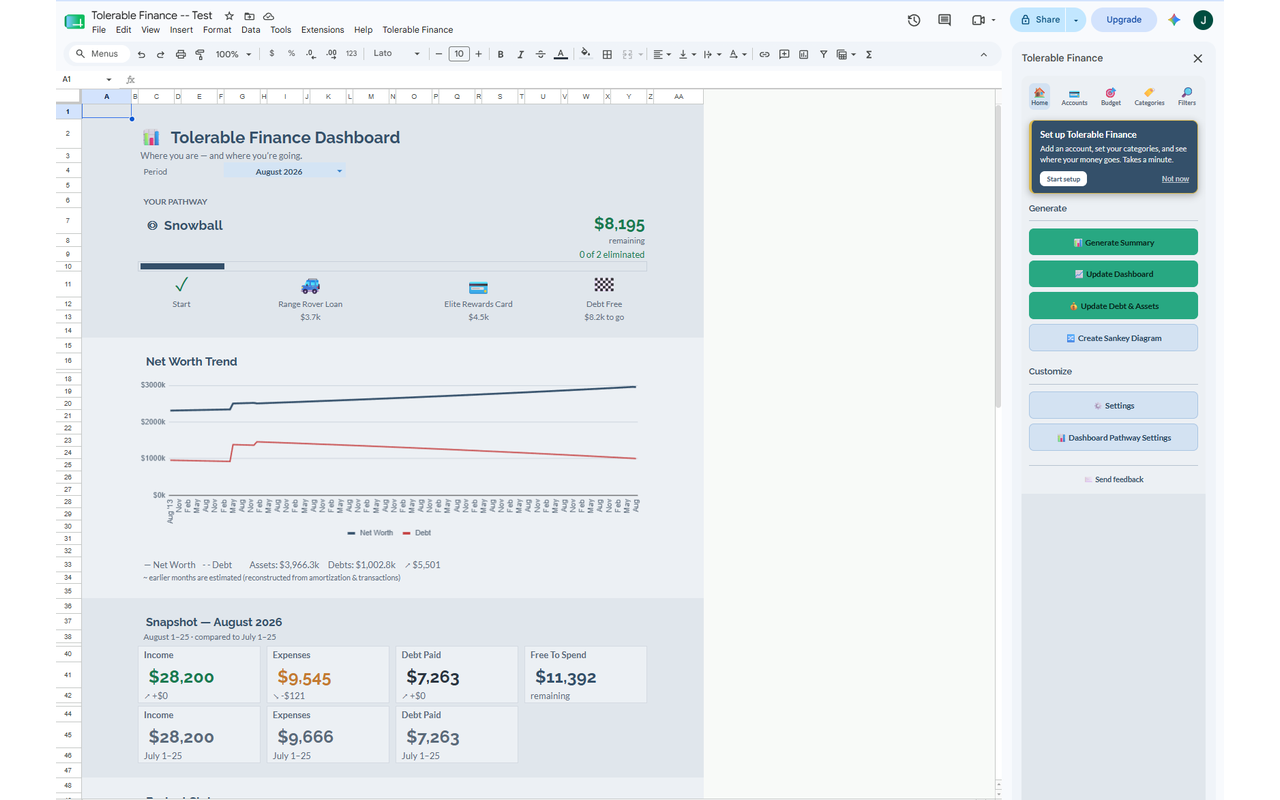
- Tolerable Finance. An add-on that runs inside your own Google Sheet. You still import a CSV (no bank login), and it handles the categorizing and builds your summaries, dashboards, and net-worth tracking. Free tier available. We make this one, so take that with the appropriate grain of salt, but either way the CSV approach means your bank credentials never enter the picture.
What you give up (and what you don’t)
The one thing you trade away is real-time auto-sync. Your numbers are only as current as your last CSV import, not updated to the minute. What you get back for that is real though. Your bank login never leaves your hands, your data sits in an account you own, and there’s no fragile connection to keep alive. For a lot of people that’s an easy trade, especially anyone who got sick of budgeting apps dropping their bank connection every few weeks.
Frequently asked questions
Can I budget without connecting my bank account? Yes. Export a CSV from your bank and import it into a spreadsheet or a tool that reads CSVs. You get full tracking without ever sharing your login.
What’s the safest way to track spending? The safest approach is one where you never share your banking credentials at all. CSV-based tracking in a spreadsheet you own keeps your login and your data entirely in your hands.
Do budgeting apps sell your data? Some free apps monetize your data through partnerships or targeted offers, which is part of why bank-linking makes people uneasy. A tool that never sees your financial data (because it stays in your own sheet) has nothing to sell.
How often do I need to import my transactions? Whatever keeps you aware. Weekly is a good rhythm for most people. Monthly still works if you’d rather do it in one sitting.